Copilot Agents for SharePoint: Setup, Licensing, and Cost
What Copilot agents grounded in SharePoint actually are, when to use Microsoft 365 Copilot or Copilot Studio, what they cost, and three real-world use cases you can deploy in weeks.
What Copilot agents grounded in SharePoint actually are, when to use Microsoft 365 Copilot or Copilot Studio, what they cost, and three real-world use cases you can deploy in weeks.
Teams researching Copilot agents for SharePoint usually need three answers quickly: what architecture to choose, what licensing model applies, and what ongoing cost to expect. A SharePoint Copilot agent can answer grounded questions over your content and support task-oriented workflows in Teams, SharePoint, or standalone experiences. This guide focuses on setup decisions, licensing and Copilot Credits economics, and practical use cases you can deploy safely.

A Copilot agent is an AI assistant with a defined scope, data sources, and behaviour instructions. Unlike Microsoft 365 Copilot — which can see your entire M365 environment — an agent is intentionally focused. You tell it:

| Declarative Agent | Custom Agent (Copilot Studio) | |
|---|---|---|
| Built with | Microsoft 365 Copilot interface or agent builder; no-code configuration | Microsoft Copilot Studio (low-code canvas with topics, entities, Power Automate integration) |
| Grounding | SharePoint sites, documents, and M365 Graph | SharePoint, web URLs, custom APIs, Dataverse, and 1000+ Power Platform connectors |
| Actions | Limited to Microsoft Graph actions; cannot call external APIs without plugins | Full Power Automate integration; can call any connector or HTTP API |
| Complexity | Low — suitable for Q&A over a document corpus | Medium to high — suitable for multi-turn conversations, slot filling, and transactional actions |
| Licence | Best for users with Microsoft 365 Copilot, which provides full agent experiences in supported Microsoft 365 apps | Uses Copilot Studio licensing: prepaid Copilot Credits, pay-as-you-go billing, or zero-rated usage for Microsoft 365 Copilot licensed users in supported Microsoft 365 experiences |
Microsoft Copilot Studio (previously Power Virtual Agents) is the low-code platform for building custom Copilot agents. It provides a canvas-based conversation designer where you define topics (conversation subjects), entities (structured data the agent extracts from user messages), and actions (what the agent does when a topic is resolved).
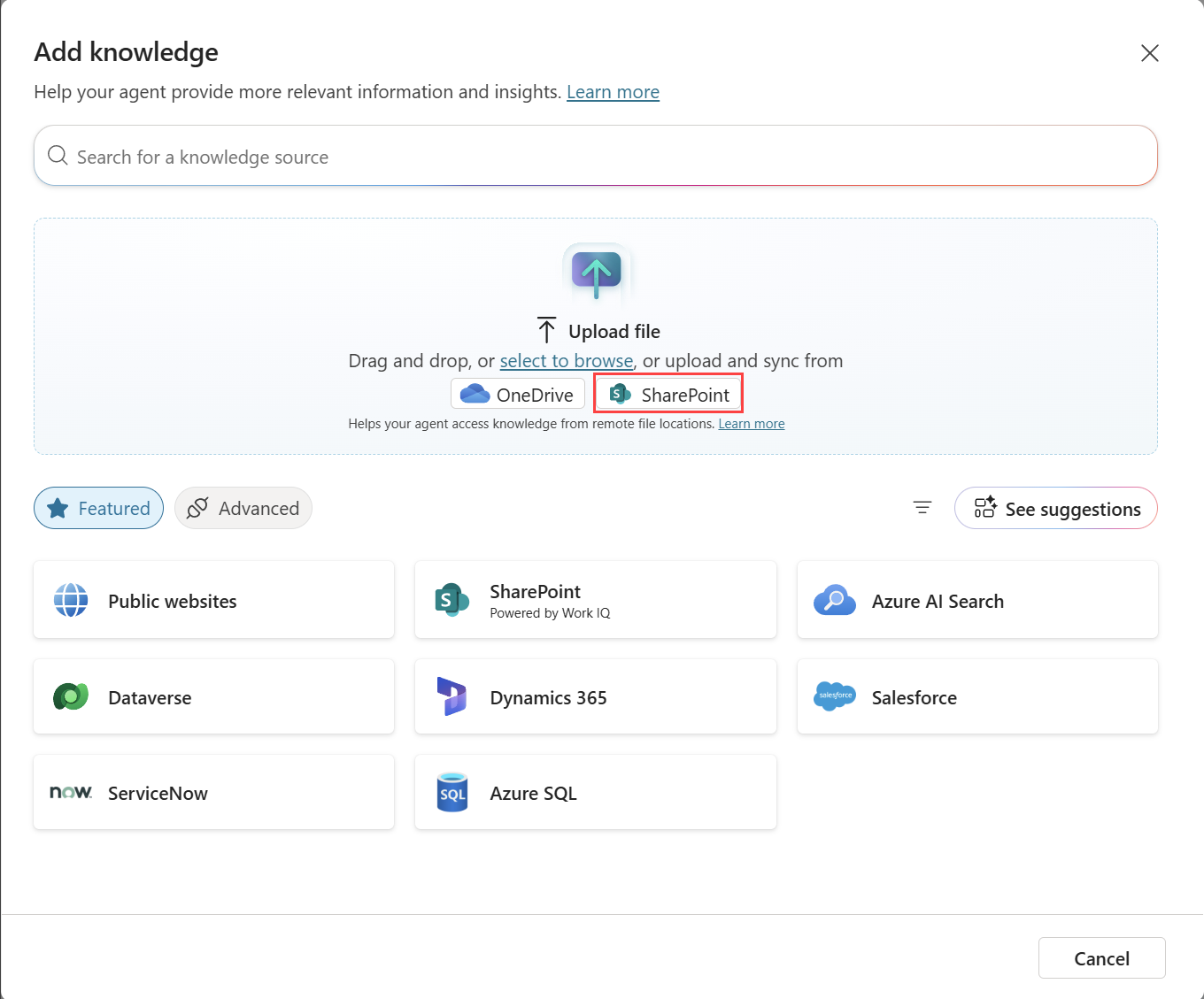
Copilot Studio connects to SharePoint as a knowledge source through two mechanisms:
Important: Licensing for Copilot agents is a frequently changing area as Microsoft continues to evolve its AI offering. Always verify current pricing at microsoft.com/en-us/microsoft-copilot-studio/pricing before committing to a deployment.
| Licence type | What's included | Best for |
|---|---|---|
| Copilot Studio prepaid Copilot Credits | Prepaid monthly credit capacity, commonly purchased in 25,000-credit packs; unused credits do not carry over | Predictable internal or external agent usage where you want committed capacity |
| Copilot Studio pay-as-you-go | Usage is metered through an Azure subscription and billed based on actual Copilot Credits consumed | Teams that want to start without a large upfront capacity purchase |
| Microsoft 365 Copilot licence | Includes SharePoint agents and Copilot Studio agent capabilities in Microsoft 365 Copilot, Teams, and SharePoint; supported Microsoft 365 usage is zero-rated against Copilot Studio meters | Organisations already deploying Microsoft 365 Copilot who want focused agents over SharePoint and Microsoft Graph content |
| External / anonymous users | Typically uses Copilot Studio prepaid or pay-as-you-go capacity, depending on channel and configuration | Customer-facing chatbots, partner portals, and public website agents |
Microsoft shifted Copilot Studio billing from simple message counts to Copilot Credits. Credits reflect the work an agent performs: retrieving knowledge, generating an answer, calling tools, or completing actions. A simple policy answer usually consumes fewer credits than a multi-step conversation that searches SharePoint, calls a Power Automate flow, and confirms the result. Use Microsoft's Copilot Studio usage estimator and current licensing guide before budgeting.
📄 Copilot Studio licensing requirements — learn.microsoft.comAn agent grounded in the HR SharePoint site that answers employee questions about leave policies, benefits, performance review processes, and onboarding procedures in plain English — without employees having to search the intranet. The agent is embedded as a Teams bot and available 24/7. Questions it cannot answer from the knowledge base are logged and forwarded to the HR inbox as structured tickets via Power Automate.
SharePoint knowledge source: HR Policies library, Benefits site, Employee Handbook pages. Actions: Submit a query to HR (creates a SharePoint list item). Result: ~60% reduction in repetitive HR email volume in the first 90 days post-deployment.
An agent that handles the first-line IT support questions that account for 70% of helpdesk ticket volume: password reset instructions, VPN setup, software installation guides, known issue status. The agent is grounded in the IT Knowledge Base SharePoint site and the IT Wiki. When it cannot resolve an issue, it collects structured information (issue type, priority, affected system) and creates a ServiceNow ticket via a Power Automate flow, returning the ticket number to the user.
SharePoint knowledge source: IT Knowledge Base site, IT Procedures library, Known Issues list. Actions: Create ServiceNow ticket (Power Automate), check ticket status (Power Automate HTTP action). Result: 40% deflection of Level 1 IT tickets from human agents.
An agent embedded in the Procurement SharePoint site that answers questions about purchasing policies, approval thresholds, preferred suppliers, and contract templates. It can look up supplier records from a SharePoint Suppliers list (via Power Automate) and return contact details, contract expiry dates, and preferred status. Procurement staff use it instead of emailing the team for basic lookups, freeing the team for strategic sourcing work.
SharePoint knowledge source: Procurement Policies library, Supplier Contract library. Actions: Look up supplier by name (Get items from Suppliers list via Power Automate). Result: Estimated 3 hours/week saved per procurement manager on information lookup tasks.
OceanCloud designs and deploys Copilot Studio agents grounded in SharePoint — from simple policy Q&A bots to complex multi-action agents integrated with ServiceNow, Salesforce, and Dynamics 365. Typical delivery: 4–6 weeks.
Start Your Copilot Agent ProjectA SharePoint Copilot agent is an AI assistant scoped to your SharePoint content.
It uses Microsoft 365 Copilot or Copilot Studio to answer questions, summarise documents, and automate tasks based on files, lists, and pages in your SharePoint environment — without exposing content outside your tenant.
For a no-code SharePoint agent, start from the SharePoint site, library, folder, or files you want to ground the agent on, then create and share the agent from SharePoint.
For a custom Copilot Studio agent, add SharePoint as a knowledge source, configure topics or actions, test with tenant permissions, and publish the agent to SharePoint or Teams.
For out-of-the-box declarative agents inside Microsoft 365 Copilot, yes — each user needs an M365 Copilot licence.
For custom agents built in Copilot Studio and published to a Teams channel or SharePoint site, you can use Copilot Studio capacity-based licensing (Copilot Credits) instead.
A declarative agent is a no-code configuration that focuses an M365 Copilot user on specific SharePoint sites, files, or lists.
A Copilot Studio agent is a fully built chatbot with conversation flows, custom connectors, and multi-channel publishing. Use declarative agents for quick, content-scoped Q&A and Copilot Studio agents when you need business logic, integrations, or multi-step workflows.
Copilot Credits are the billing unit for Copilot Studio. Each agent message that invokes a generative AI action or connector call consumes credits.
Simple conversational turns without generative AI do not consume credits. Credits are purchased as capacity packs and shared across all agents in your tenant.
Yes.
A SharePoint-grounded agent can reference Teams chats, Outlook emails, OneDrive files, and other Microsoft Graph data if the underlying Copilot licence includes those connectors and the user has permission to access that content. Access is always governed by Microsoft 365 permissions — the agent never bypasses security.
OceanCloud specialises in SharePoint consulting, M365 migration, Power Platform solutions, and enterprise governance. Let's discuss how we can help.
Book a Free 60-Minute Consultation ➜